A first AI project should answer a small question with defined inputs, outputs and a fair check. Choose non-identifying practice data, separate learning and development examples from final evaluation, compare a simple baseline, record errors and explain limits. Start with ordinary objects rather than personal data, and treat the result as a learning investigation rather than proof of a career fit.
Start With A Question You Can Check
“Build something with AI” sounds exciting until you try to decide whether the result works. A chatbot that replies fluently, or a camera that recognises one familiar object, can produce a convincing demonstration without answering a useful question. For a first project, make the question smaller than the ambition. Try this: can a model distinguish two kinds of everyday object in photographs taken under specified conditions? Name the inputs, the possible outputs and the situations you will test. The aim is to learn how a system behaves, including where it fails. A finished interface is optional; an explanation of the evidence is essential. This guide proposes a learning exercise, not a validated assessment of aptitude or a route to guaranteed admissions.
An Illustrative Starting Point
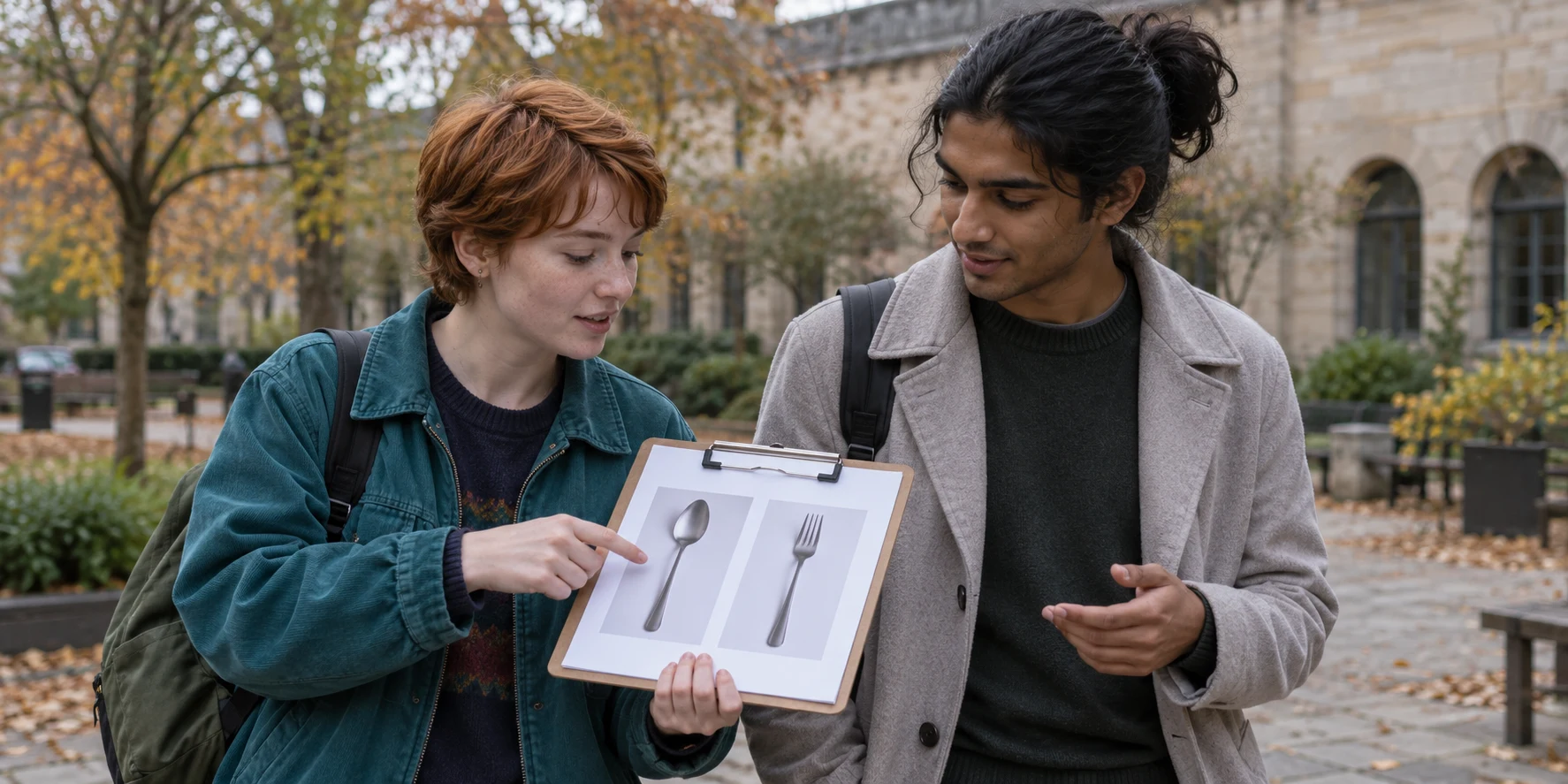
Consider an illustrative composite learner we will call Kiran, drawn from the story bank’s project-exploration dilemma; identifying circumstances are changed. Kiran enjoys computing but wants a more concrete starting point than creating a general-purpose assistant. Instead, the proposed task is to distinguish a spoon from a fork using original photographs of household objects. This is a hypothetical plan. No learner’s results, quotations or submitted work are reproduced. The objects are deliberately ordinary: there is no need to photograph classmates, collect personal messages or buy specialist hardware. The decision tension is whether to pursue an impressive label or a question that can actually be investigated. Keep the first version small enough to explain on one page.
Choose The Method After The Problem
An image classifier assigns an input to a category. A rule-based program follows instructions you specify. A generative assistant produces content in response to prompts. These are different project choices, so the evaluation should match the system rather than treating every output as interchangeable. Before training anything, ask whether a simple rule would solve the task. Sorting filenames by an existing label needs no learned image model. Distinguishing objects from pixels offers a different learning problem. Write why machine learning is worth trying, even if the reason is educational exploration rather than practical necessity. The Raspberry Pi Foundation’s educator course explicitly links machine learning methods to suitable problems and data ethics. Its project collection includes object-recognition exercises and a paper-based decision-tree activity. Those are starting resources, not evidence that every AI project needs a camera or advanced coding.
Write A Project Contract
Create a short contract before opening the tool. Include the question, two object categories, intended setting, allowed data, comparison method and stopping point. For this exercise, specify ordinary desk photographs, original images containing no people or identifying paperwork, and a short sequence of work sessions. Define what would count as an informative result: a table showing predictions on reserved photographs, separate errors for each category, and notes about changed lighting or background. Do not promise a particular accuracy in advance. Your target is a completed investigation with honest limitations. Add an exclusion: the model will not identify people, decide anything about them or operate equipment. This is a learning boundary chosen for this project, not a claim about what all tools permit. Check the selected service’s current age, account, school and data requirements with an adult before use.
Keep Learning Examples Separate From Evaluation
Google’s machine-learning guidance distinguishes training, validation and test sets: examples for learning, examples for development decisions, and examples reserved for final evaluation. It warns that repeatedly adjusting a model against the same evaluation material can make the eventual result less trustworthy. For the desk project, create three clearly labelled folders before training. Keep related photographs from one short camera burst together; near-identical frames in different folders would make the challenge too familiar. Decide which images are for development and which remain unseen until the final check. There is no universal classroom sample size that guarantees a dependable model. A small collection is enough to practise the workflow, but supports only a modest report about those examples. Preserve the reserved folder and record any accidental reuse. If you use it to guide improvements, describe it as development material and gather fresh photographs for the next final check.
Test What The Model Might Be Using
A useful question is whether the model has learnt something about the object or about the way you photographed it. If every spoon appears on a dark surface and every fork on a light one, the background could become a shortcut. That possibility is a hypothesis to investigate, not a diagnosis of your model. Take both object types against both backgrounds. Then change one condition at a time: angle, distance, lighting or partial obstruction. Keep an ordinary-condition group separate from these deliberate stress tests. Report what each group was intended to reveal rather than combining everything into one headline score. The Foundation’s apple-versus-tomato activity explores limited training data and data diversity. You can use that idea with your own objects while stating the boundaries of the exercise. Two kitchen objects cannot establish how a model would behave across an entire school, workplace or population.
Use A Table That Makes Errors Visible
Make one row per reserved image. Record the true category, predicted category, whether the answer was correct and the test condition. Count mistakes for spoons and forks separately. A combined score can conceal that one category performs much worse. Also compare a deliberately simple baseline: always predicting the more common category in the evaluation folder. If the folder contains mostly spoons, that baseline can get many answers right without recognising anything. Explain the comparison rather than presenting the percentage alone. Write results as counts with their denominator, such as “correct predictions out of photographs tested”, inserting only your actual observations. Never copy illustrative numbers into a results section. If the tool displays a confidence value, keep it distinct from measured performance; a high displayed value does not by itself demonstrate correctness.
A Three-Session Exercise
In session one, complete the contract, choose the tool with adult support where appropriate, photograph the objects and organise the folders. Record the conditions and your own contribution. Use a familiar device or supervised school resources; this exercise does not require a new subscription. In session two, train the first version and examine only the development examples. List the errors, choose one change and explain why it might help. Avoid changing the categories, photographs, settings and evaluation plan simultaneously. In session three, freeze the version and run the reserved check. Create a one-page report with the question, method, error table, limitations and next experiment. If something fails, explain what failed. A usable learning report can emerge from an unreliable model; concealment would make the report less useful.
Reader Questions, Answered
**Must I write code?** Not for every introductory classification exercise. The Foundation describes projects using Teachable Machine, alongside Scratch activities. Coding can come later when you want to integrate a model or control its behaviour. **Can I use a chatbot instead?** Yes, but change the test. For example, use public practice texts and compare summaries against a checklist of facts you verify yourself. Describe this as evaluating an existing assistant, rather than training your own classifier. **Does a successful project prove a career fit?** No. Notice which tasks you wanted to continue: choosing examples, debugging, analysing errors or explaining the result. Those observations generate further questions; they are not a career diagnosis. **What should a parent ask?** Ask what was reserved for evaluation, which error surprised the learner and what they would change next. Let the learner explain before offering to polish the presentation.
Turn The Report Into A Next Question
Finish with one sentence describing the scope: this version was checked on these objects under these conditions. Then identify the next investigation, such as changing the background or trying unfamiliar objects. Keep any new test separate from the results already reported. For the broader value of a small investigation, read The Project That Revealed More Than A Career Test. For a family discussion about degree choices and automation claims, read “AI Will Replace Coding”—Should That Decide Your Child’s Degree?. Your next step is a question you can check, with evidence someone else can understand.
Sources And Further Checks
Primary sources checked on 13-10-2026. Course and policy details can change; check the current official information before acting.
Raspberry Pi Foundation: Introductory AI Projects Google: Dividing Datasets Raspberry Pi Foundation: Teaching Machine LearningAI-assisted production. How We Produce Stories · Report A Correction